Video Asset Manager logo
Video Asset Manager vs Vindexr - AI Video search tools.

Video Asset Manager vs Vindexr

Both Video Asset Manager and Vindexr are macOS apps that use AI for b-roll logging and searching your footage by describing what you need. But they fit into your workflow in different ways, and the price differences are massive.
Key differences

Video Asset Manager uses AI to analyze your b-roll footage and create a detailed timeline of what happens in the video. This gives you the information about what happens in the video without you having to scrub video files to understand it.

When you need to find the b-roll suggestions, describe the b-roll you want. Video Asset Manager will show you the best b-roll in seconds.

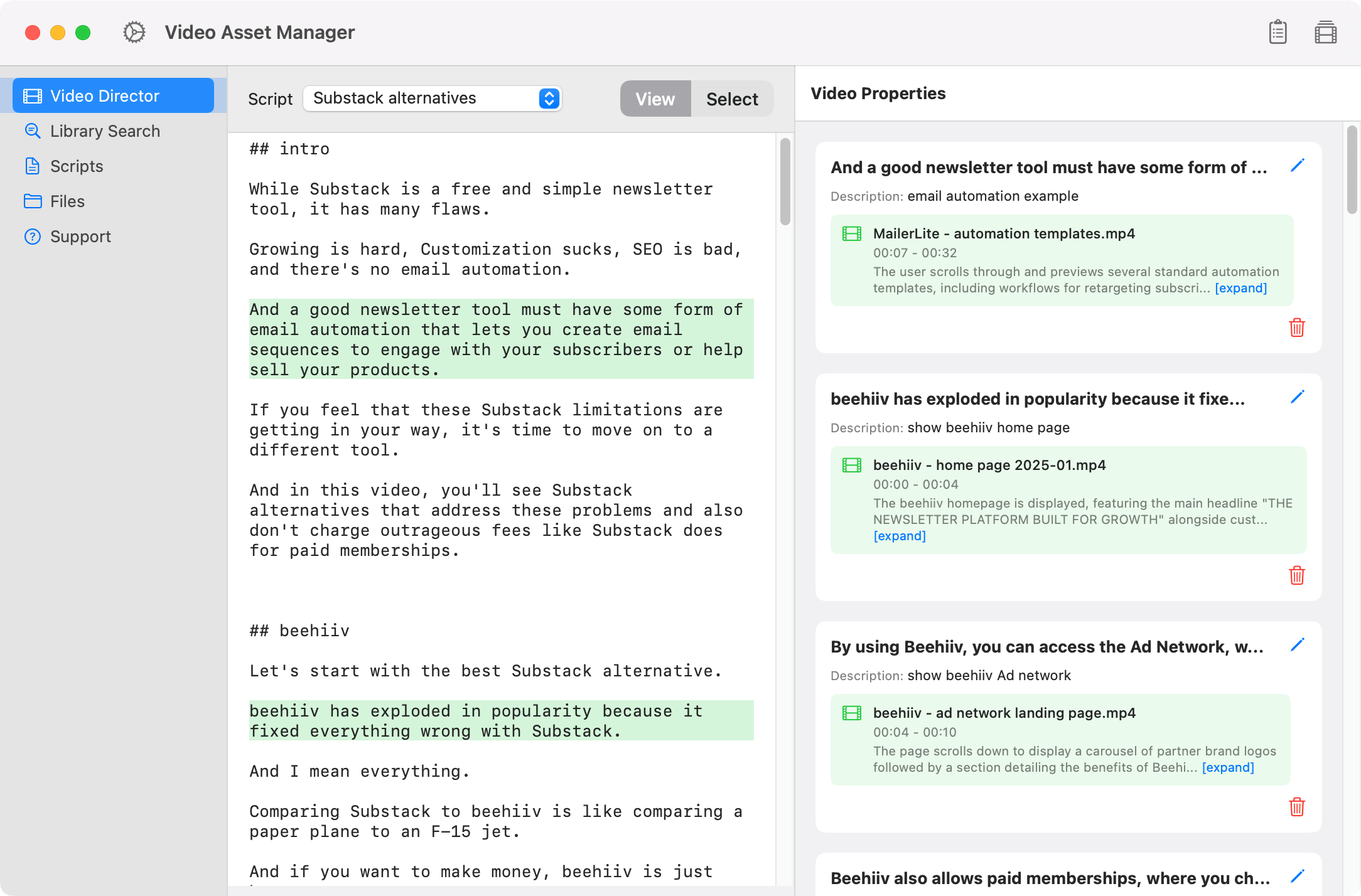
And if you have the video's script, the app suggests the b-rolls based on the context. This improves b-roll placement by quite a lot.

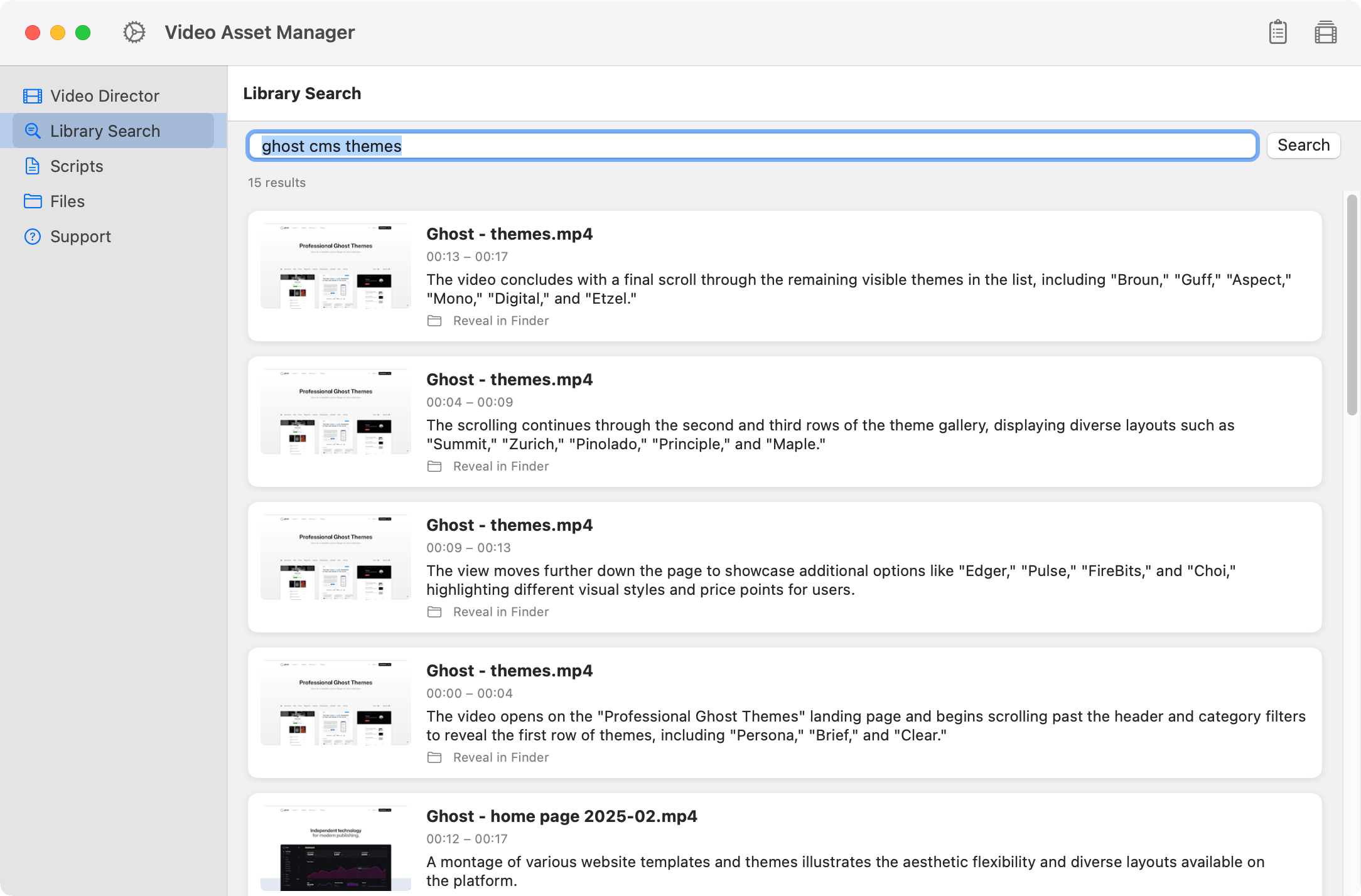
Screenshot of Video Asset Manager showing a search for b-roll clips, with results displaying video previews, names, timestamps, and short descriptions of each matching clip.

Vindexr focuses on building AI collections of clips, tagging, and footage transcription that you can export directly into Resolve, Premiere, or Final Cut Pro.

In terms of costs, Video Asset Manager is a one-time purchase for the license, and you bring your keys for the AI usage. This keeps costs low, where you pay cents per hour of video analyzed.

On the other hand, Vindexr is a monthly subscription starting at $12/month, with a token cap on AI usage.

Feature comparison

Video Asset Manager Vindexr
Best for Solo creators and Video Editors Video Editors and Agencies
Core job Analyze Videos + Create the B-roll list AI collections and Transcription
Video Analysis Yes (B-roll logging with detail) Yes (based on keywords and tags)
B-roll Stock Footage No (Made for personal b-roll libraries) No
Data Processing Cloud AI for analysis + Results saved locally Cloud AI for analysis
NLE Integration No (on roadmap) Yes (Resolve, Premiere, FCP)
Pricing model $99 One-time + AI usage (Use your own keys) $12 - $99/month (with token limits)

Why choose Video Asset Manager

Reduce manual work

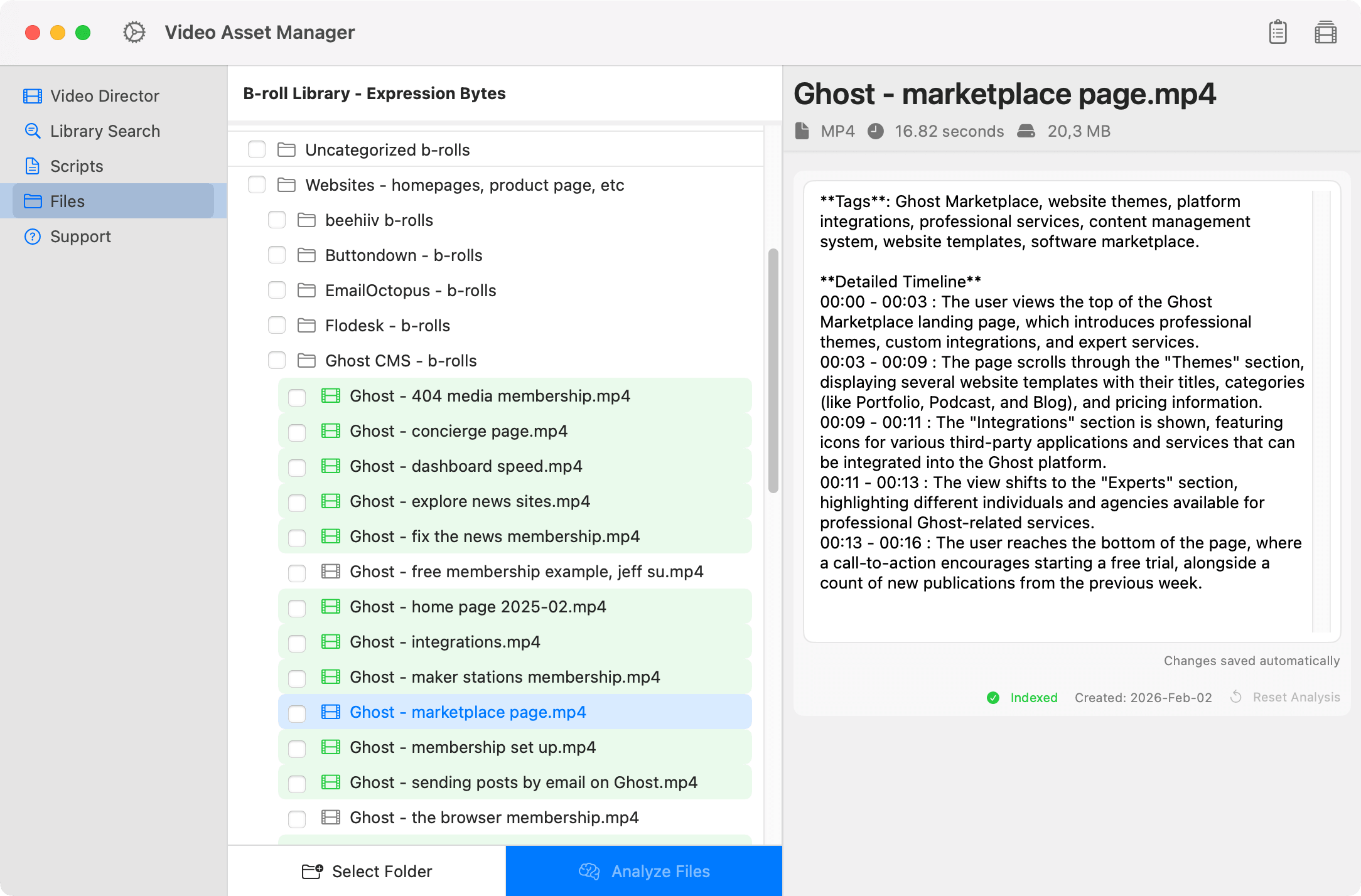
Most editors have to log their b-roll by hand, scrubbing through every clip to see what's in it. Video Asset Manager does that for you! The app uses AI to analyze videos, and creates a timeline everything in the clip happening in the clip.

Screenshot of Video Asset Manager showing the b-roll video name on the left and a detailed analysis panel on the right, including tags and a timestamped description of the clip's content.
Screenshot of Video Asset Manager showing a search for b-roll clips, with results displaying video previews, names, timestamps, and short descriptions of each matching clip.
Find B-rolls faster

Instead of opening folders and scrubbing timelines, describe the b-roll you need and the let the app do the search. AI will look at your footage to find the best b-roll options. With the Video Director feature, you select a segment of your script, describe the b-roll you want, and get suggestions for that specific moment of the video.

No Subscriptions

Video Asset Manager is a one-time license purchase. There's no monthly costs, no annual renewal, and no tier upgrades. For the AI features, you bring your own API keys and only pay for what you actually use. This makes the Video Asset Manager one of the most affordable options on the market.

Screenshot of a Video Asset Manager showing a script about Substack alternatives, with highlighted text sections and a panel on the right listing b-roll clips used in the script with titles, descriptions, and timestamps.

Simple pricing

$99

Free

Free during beta!

  • AI-powered b-roll analysis
  • B-roll suggestions matched to your script
  • Semantic search: find footage by context, not filename
  • All future updates included

Be the first to try

Join the test users today

No credit card required.